
 Kick Start Your Accounting Journey, We Help You to Start from Scratch
How to Use Zoho Books for Accounting
Financial management may appear to be daunting, particularly to a small business or freelancer. That is where Zoho Books comes in, a cloud-based accounting software, which simplifies bookkeeping processes, automates tasks, and maintains financial records accurately.
What is Zoho Books?
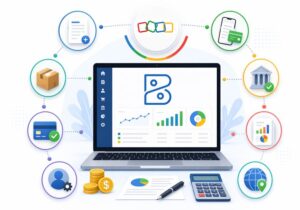
Zoho Books is an accounting software that is available online and helps manage invoicing, expenses, taxation, and financial reporting within the software. It processes a lot of manual procedures automatically and enables you to view your financial information at any time, from anywhere.
It is particularly useful for:
- Small business owners
- Freelancers
- Startups
- Accountants managing multiple clients.
Step-by-Step Guide to Using Zoho Books for Efficient Business Accounting
Step 1: Sign Up and Create Your Account
The first thing to do is to go to Zoho Books and register for an account. You are able to create an account with email, Google, or Microsoft. The majority of users start with a free trial to understand the product features.
After signing up:
- Verify your email
- Select an appropriate plan.
- Log in to your dashboard.
Step 2: Set Up Your Organization
After logging in, you should first set up the details of their business.
The main details to be setup are:
- Name and contact information of the business.
- Currencies and financial year.
- Taxation (GST, VAT, and so on).
- Invoice templates and branding.
When set up correctly, this ensures the accuracy of your reports and transactions from day one.
Step 3: Chart of Accounts Configuration
Your accounting system will be supported by what is known as the Chart of Accounts (CoA). It helps you categorize all financial transactions, including income, expenses, assets, and liabilities.
Zoho Books can be used to access default accounts, but which can be customized according to your business needs.
Tips:
- Make account names straightforward and clear.
- Avoid creating unnecessary categories.
- Make accounts to fit your reporting requirements.
Step 4: Link Your Bank Account
Zoho Books is a system that can be linked with your bank account to automatically update transactions.
Through banking integration, you are able to:
- Import transactions automatically
- Classify income and expenses.
- Reconcile accounts easily
This functionality will minimize manual data entry and assist in keeping proper records.
Step 5: Manage Customers and Vendors
Then follow with your business contacts:
Customers
- Create customer profiles
- Monitor invoices and payments.
- Monitor outstanding balances
Vendors
- Record bills and expenses.
- Manage payments
- Track liabilities
It helps maintain organized records to facilitate receivables and payables.
Step 6: Create and Send Invoices
Zoho Books is best suited for invoicing.
You can:
- Create professional invoices
- Customize templates with your logo.
- Set payment terms and due dates.
- Automate reminders
It is also easy to transform estimates into invoices in Zoho Books, saving effort.
Step 7: Monitor Expenses and Bills
To understand business performance, expense tracking is important.
Using Zoho Books, you can:
- Record daily expenses
- Upload receipts
- Categorize spending
- Track vendor bills
This assists you in proper financial maintenance and identify cost-saving opportunities.
Step 8: Automate Your Accounting Workflow
Automation is one of the biggest benefits of Zoho Books.
You can automate:
- Recurring invoices
- Payment reminders
- Expense categorization
- Workflow approvals
Automation helps to decrease the number of mistakes, and saves valuable time, allowing you to concentrate on the development of your business.
Step 9: Reconcile Bank Transactions
Bank reconciliation ensures your records match provided by your bank.
With Zoho Books, it becomes less complex as it:
- Matches transactions automatically
- Highlighting discrepancies
- Helps close books accurately.
Financial reporting must be effectively done through frequent reconciliation.
Step 10: Create Financial Reports
Zoho Books provides powerful reporting features to review your business.
Common reports include:
- Profit and Loss Statement.
- Balance Sheet
- Cash Flow Statement
- Tax reports
Such reports can be used to make wise business choices and stay compliant with standards.
Step 11: Manage Taxes and Compliance
Zoho Books is particularly beneficial for tax management.
It can:
- Calculate GST/VAT automatically
- Generate tax reports
- Prepare return-ready data
This makes sure that there are no compliance errors as the tax is being filed.
Benefits of Using Zoho Books for Accounting
Here’s why many business owners prefer Zoho Books:
- User-friendly interface.
- Automation features: Saving time and reducing mistakes.
- Accessible from anywhere: Accessible on the cloud.
- The integration options: Connect with CRM, payment gateways, and others.
- Scalability: Able to match business expansion.
Best Practices for Using Zoho Books
In order to optimize Zoho Books:
- Get your account properly set up.
- Maintain a well-structured chart of accounts.
- Bank reconciliation should be on a regular basis.
- Utilize automation features.
- Examine financial reports on a monthly basis.
Conclusion
Zoho Books is an effective but simple accounting software that can help any business run its financial management without exerting much effort. It covers invoicing, expense tracking, tax compliance, and reporting, it follows through every accounting requirement in a single platform.