
 Kick Start Your Accounting Journey, We Help You to Start from Scratch
How Does Zoho Books Work and How to Add Inventory in Zoho Books?
Zoho Books is an accounting software that offers a cloud-based solution that is used to organize invoices, expenses, bank reconciliation, payments, taxes, reports, and inventory in an integrated location. It is particularly useful for small and growing businesses aiming at minimising manual accounting and maintaining organized financial records. Zoho Books also enables businesses to create items and use them in business transactions while automatically populating item details when creating invoices, bills, sales orders and purchase orders.
How Zoho Books Works?
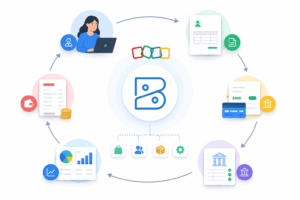
Zoho Books functions through the integration of key financial functions into one program. You can add customer profiles, log vendor information, issue professional invoices, manage payments, upload expenses, reconcile bank transactions and create financial statements. Zoho Books provides a way to keep track of the sales, purchases, taxes, and stock all in real time, all within one system, rather than having individual spreadsheets.
To illustrate, when you make an invoice, Zoho Books records the transaction, updates the customer balance, monitors the payment status, and reflects it in the reports. It can also automatically reduce stock levels in case inventory tracking is activated, whereby a product is sold. It simplifies the process of business owners to monitor cash flow and outstanding receivables, tax payments and stock movement without having to flip between various tools.
Inventory Management in Zoho Books: Why It Matters.
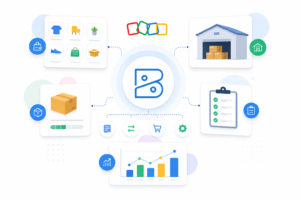
Inventory is more than just a list of products. It influences sales, buying, cash flow, prices and customer satisfaction. The Zoho Books will enable end users to manage items, adding key details, which include item name, SKU, unit, selling price, cost price, opening stock, reorder level, and preferred vendors. According to Zoho, the inventory can be used to monitor inventory, reorder points, manage inventory levels and vendor information.
It is useful for businesses selling tangible goods, spare parts, materials, retail goods, or packaged goods. When inventory is correctly established, you will be able to prevent overselling, identify fast-moving products, and make better purchases.
Adding Inventory in Zoho Books
To add inventory in Zoho Books, open your account in Zoho Books and then open your organization dashboard. Next, from the left-side menu, select Items. Products or services sold or purchased by your business are known as items.
Select ‘New Item’ and choose the appropriate item type. If the product is a physical item, then turn on the inventory tracking. Include the item name, SKU, unit of measurement, selling price, cost price, tax preference and account details. You also have the option to add the opening stock level and opening stock value, provided that you already have an inventory prior to using Zoho Books.
Then set a reorder level (when required). This will make you aware when inventory is dwindling. You can also add a preferred vendor, which will make further purchase transactions easier. Add all the details, then click Save. Invoices, bills, sales orders, purchase orders and inventory reports can now be created using the saved inventory item.
Zoho Books is compatible with the Zoho Inventory add-on that offers advanced features such as: composite items, item groups, packages, shipments, and bulk adjustments.
Basic Steps to Add an Inventory Item
Step 1 – Go to the Items module
Step 2 – Click New Item
Step 3 – Add item name, SKU, unit, price, and tax details
Step 4 – Enable inventory tracking
Step 5 – Enter opening stock and reorder level
Step 6 – Save the item
Zoho Books is suitable for basic inventory management. But when your business requires warehouse management, batch tracking, serial number tracking, shipment management, or complex order fulfillment, you may want to explore Zoho Inventory as an additional option.
Get Expert Services with Zoho Books.
It is important to set up Zoho Books correctly since the incorrect account mapping, tax configurations, or inventory entries can affect financial reports. Adequate Bookkeeping provides Zoho Books accounting and maintenance services to businesses that need support with configuration, reconciliation, reporting, and automated accounting processes. With their knowledge of Zoho Books, they can guide businesses to utilize the application more efficiently and save time on daily accounting operations.
Final Thoughts
Zoho Books is a comprehensive accounting platform that joins invoicing, expenses, payments, reports, and inventory. It is easy to add inventory in Zoho Books; however, when accurate item details, opening stock, pricing, taxation, and reorder level. Zoho Books can become a valuable tool in the smoother financial organisation and smarter decision-making of businesses, which prefer to have a better control over inventory and financial records.